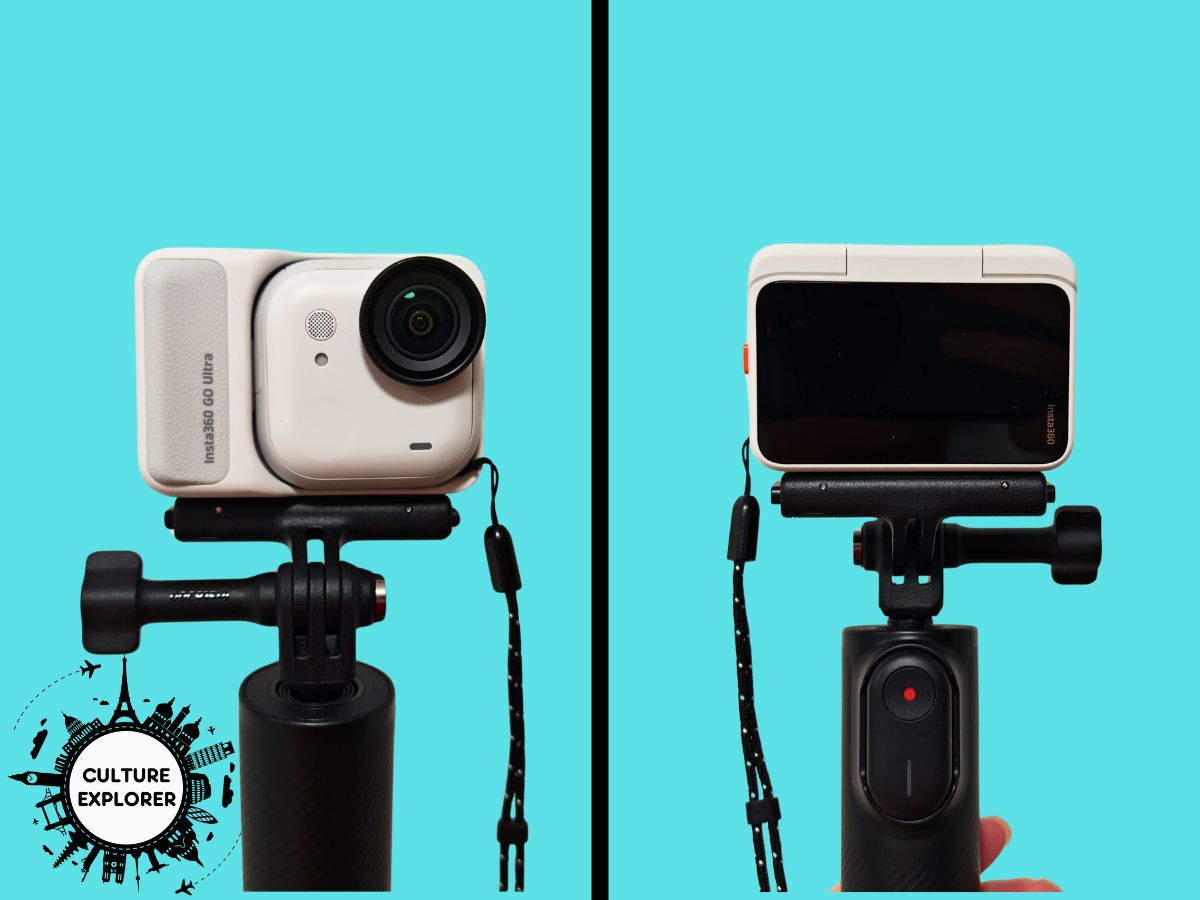
Insta360 GO Ultra review: A versatile action camera for travel videos
Culture Explorer uses affiliate links, including those from Amazon, which are identified using an *. If you buy something through the link at no extra cost to you, Culture Explorer may be paid a commission, which helps to fund running of the site. You can read more about this here.
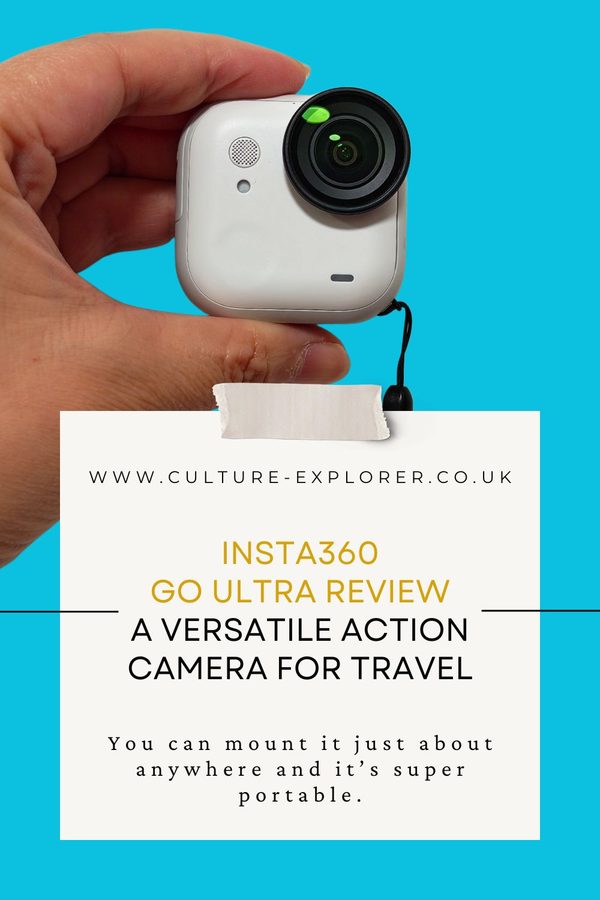
The Insta360 GO Ultra is one of the most versatile action cameras around, with easy to use features designed to suit everyone from travel creators to vloggers.
It has a powerful magnet built into the body which, alongside a range of accessories, means you can mount the camera just about anywhere to get the angle you need.
And thanks to a fast-charging dock the brand calls the action pod, you can extend the already pretty decent battery life to a little over three hours.
But it’s not cheap; the starting price is over £300 before you add on all those accessories.
For this review, Insta360 sent me a GO Ultra vlogger bundle so I didn’t have to pay for it myself.
As a former GoPro user, I found the image and sound quality to be way better than my HERO 4, which is admittedly a false comparison given how old it is now (although it’s still fully functional).
It’s also extremely discrete, which is a brilliant feature if you don’t like the extra attention that comes with wielding your camera around.
The GO Ultra is not flawless though, and I’ll explain why with all the details below.
Insta360 GO Ultra at a glance
Rating: 8/10
- Price: £309 for the standard bundle from Insta360* (or £419 for the vlogger bundle I got)
- Weight: 53g for the standalone camera; 161g when in the action pod
- Dimensions: 46 x 46 x 22 mm for the standalone camera; 70 x 49 x 33 mm when in the action pod
- Battery life: up to 70 minutes for standalone camera; up to 200 minutes in the action pod
- Warranty: 12-month warranty
- Best for: POV footage, hands-free shooting, and vlogging
What’s included
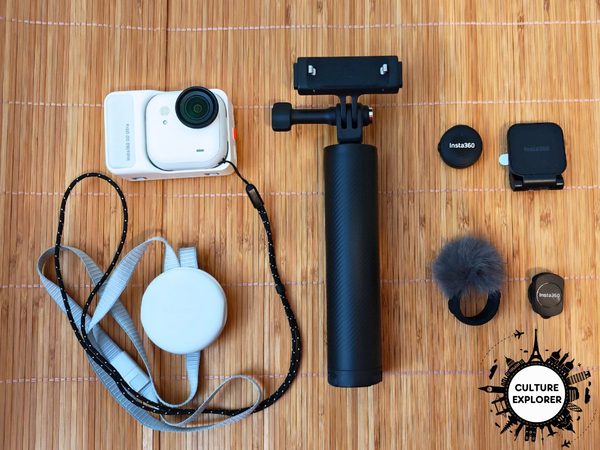
The Insta360 GO Ultra comes in a few different bundle configurations so let’s start with what’s actually included.
The cheapest option is the standard bundle*. As part of that, you get:
- the standalone camera with the action pod and a pre-installed lens guard
- a quick release safety cord to keep your camera secure and accessible
- a magnetic clip that allows you to clip-mount the camera on a hat
- a magnetic pendant so you can wear the camera as a necklace
I got the vlogger bundle*, which is the most expensive option. It comes with everything in the standard bundle plus:
- a magnetic quick release mount for a tripod, which lets you mount and take your camera off with ease
- a mini 2-in-1 tripod, which you can use as a selfie stick or a short tripod for self record
- Insta360’s Mic Air*, a Bluetooth-enabled mic that enhances your audio
Insta360 offers several other bundles, which are tailored to activities like running and cycling, as well as a range of additional accessories that are sold separately*.
First impressions
I was surprised by how much stuff came in the Insta360 GO Ultra vlogger bundle.
As well as all the items mentioned above, there were various bands, straps and cushioning strips that you could use to adjust and fine tune your setup.
And everything came in solid packaging that made the unboxing feel like a real event.
The actual Go Ultra camera was smaller and lighter than I imagined, but it looked slick and felt well made.
My one reservation was that I got the white version.
I’m the sort of person who’s not that careful with their tech; I’ll slip stuff into my pocket because it’s convenient and it’ll end up covered in scratches.
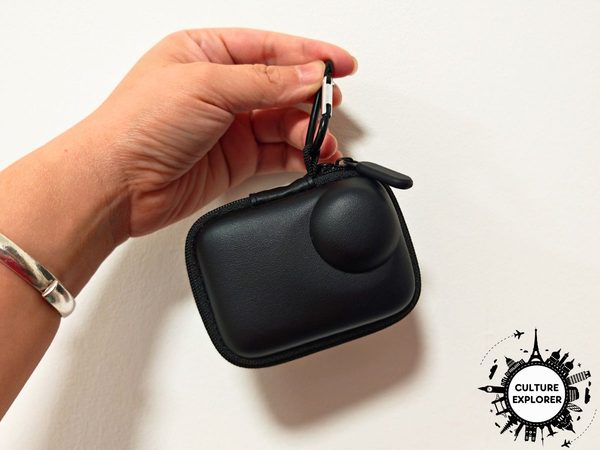
I imagined it wouldn’t be long before my brilliant white Go Ultra got scuffs on it so the first thing I did was buy a small carrying case* for it.
Key features and specifications
The reason why you would pick the Insta360 GO Ultra over other action cameras – and why I picked it over Insta360’s Ace Pro 2* – is the versatility of the standalone camera.
It’s tiny – the standalone camera is just slightly wider than a golf ball – but still capable of capturing 4K60fps videos and 50MP images.
Throw in waterproofing and hands-free mounting and suddenly you’ve got a device that you can take to just about anywhere.
As this review is for the GO Ultra, I’m going to focus on the functions and the design of the actual camera instead of all the accessories I got with it.
Design and build quality
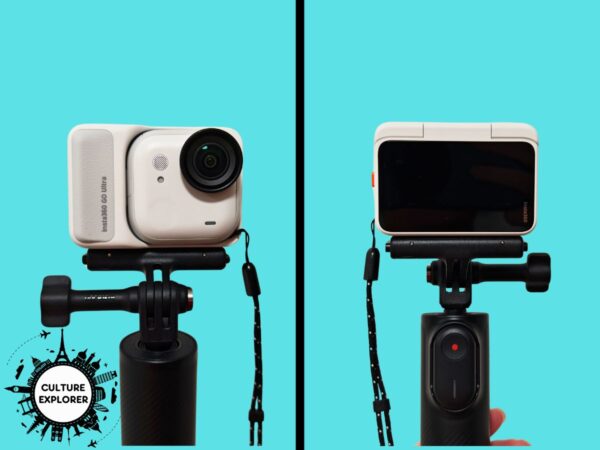
The Go Ultra has two main parts.
The standalone camera is what holds all of those photo and video functions.
It’s a square-ish pebble with a single lens in one corner and a discrete sunken button in the opposite corner that’s used to control the device.
The rest of the space is given over to an in-built mic and an indicator light to let you know whether you’re recording or if there’s an issue with the device.
There’s also a covered slot at the side where the microSD card goes.
Unlike other Insta360 products, there’s no built-in storage for this device so you’ll have to buy a separate memory card, and GO Ultra supports microSDs of up to 2TB.
The back of the standalone camera is heavily magnetised and this, along with insets for hooks, are what helps it to dock into the action pod.
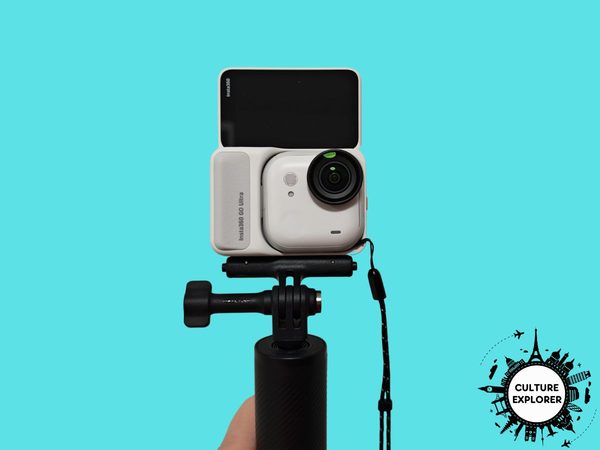
The action pod serves a few different functions.
Since the standalone camera can be controlled through the Insta360 app, I would say the primary function of the action pod is as a charging dock and backup battery pack.
However, it also has a flip-up screen at the back that lets you change the settings on the standalone camera and preview what you’re shooting.
There are three easy-access control buttons on the body of the action pod.
One of these powers up the device while the other two are used to control the standalone camera’s zoom and to start or stop shooting.
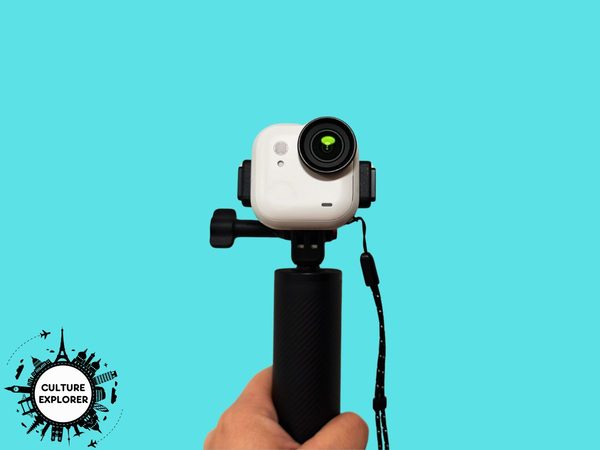
Both the standalone camera and the action pod can be mounted on the tripod so you can choose what works best for your set up.
The standalone camera can also be worn as a pendant, mounted on clips, and of course stuck on any metal that’s magnetised.
Portability and weight
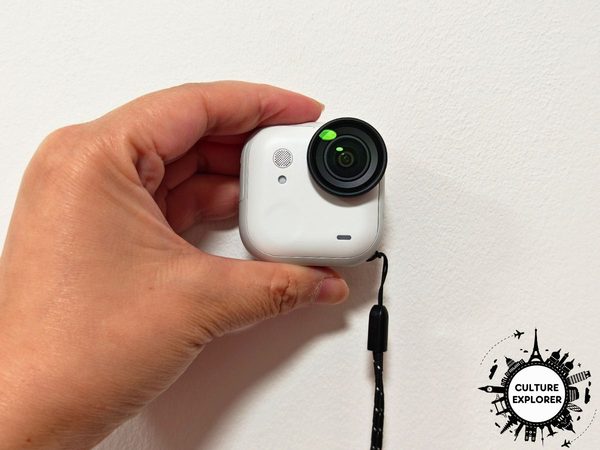
At around 53g, the standalone camera is super light.
But of course you’d still have to carry the action pod with you everywhere unless you have the GO Ultra FOMO Power Kit*, as you can’t charge the standalone camera any other way.
That means you’re realistically walking around with a 161g camera.
For comparison, the Insta360 Ace Pro 2* is 177g, the DJI Osmo Action 6* is 149g while the GoPro HERO 13* is 159g.
The Go Ultra is definitely on the heavier side compared to what else is on the market but it’s not exactly a brick – even my mobile phone, the Honor Magic 6 Pro*, weighs more.
Battery life
Insta360 says the GO Ultra standalone camera has a battery life of up to 70 minutes, which expands to around 200 minutes when it’s docked in the action pod.
To fully recharge, it takes about 20 minutes for the standalone camera and 40 minutes for the action pod.
It’s worth noting that those timings are generated under laboratory conditions.
When I took my GO Ultra out, I found the battery life came pretty close to what was promised but it depended a lot on weather conditions and what I was doing.
When I was filming in warmer weather or doing a lot of short clips where I was switching the device on and off, the battery drained a lot faster.
In terms of recharging, it was incredibly fast.
The action pod recharges the standalone camera whenever it’s docked so you’re always ready to film.
To charge the action pod itself, you just have to connect it to a power source using a USB C cable.
The one additional accessory I would consider getting is the aforementioned GO Ultra FOMO Power Kit*.
It’s a mount and a battery pack in one, and it’s supposed to keep your standalone camera cool during charging – unlike the action pod, which runs hot.
Connectivity and compatibility
You can connect to the GO Ultra via wifi, Bluetooth or USB C cables so you’ll find that it’s compatible with most newer devices.
Insta360 also provides a full list of compatible devices* on its website.
I installed the Insta360 app on my phone and used it to control the GO Ultra when I was away from the camera and needed to see what was going on.
The side benefit is that it’s easier to change the settings on the GO Ultra using my phone than via the action pod.
However, the app is really clunky and slow, and it generally takes a while for the app and the camera to connect, which is quite frustrating when you’re ready to shoot.
Obviously this extra connectivity also drains the battery on both devices.
If I don’t need the remote control function, it’s much easier to use the preview screen on the action pod to point and shoot.
When it comes to downloading the footage, I preferred a direct connection to my laptop using a USB C cable because it was faster and easier than trying to use the app.
Apps and other software
Insta360’s app is available on all the usual app stores.
As well as previewing your footage and controlling your GO Ultra, you can also use it to edit your videos.
To be honest, I didn’t feel the need to use it at all.
I was already frustrated by how slow the connectivity between my phone and the GO Ultra was so I didn’t want to further slow my process by trying to edit a video in the app.
Plus, I already use several alternatives.
My Honor Magic 6 Pro* has pretty decent in-built AI-powered video editing software that makes it fairly easy to put stuff together.
I much prefer editing on my laptop where I can see stuff properly, and I have a Canva Pro subscription for that.
Performance in the real world
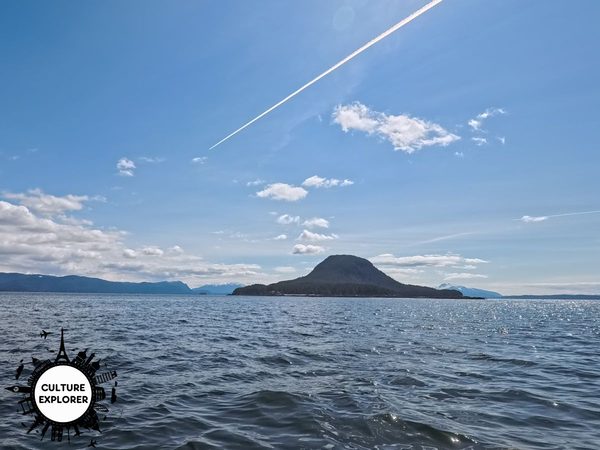
When I first received the Insta360 GO Ultra, I was a little overwhelmed by all the stuff that came with it.
But when it comes to new tech, I like diving right in and seeing what feels intuitive and then going back to the user manual when I need to look up something specific.
As it happens, I had several quite different trips lined up where I could test it.
One of the first was a soft adventure trip to West Virginia where I did a part of the Appalachian Trail, and filmed shorter clips of interesting sections.
I loved how lightweight the GO Ultra was, especially compared to my DSLR camera.
Plus, I could wear the standalone camera as a pendant to record, leaving my hands free for taking photos or to grapple with rocks.
On the second part of the West Virginia trip, I went white water rafting in New River Gorge.
I could only take the standalone camera for this bit as the action pod wasn’t waterproof without a special casing*.
Tackling the successive rapids required both of my hands on the paddle so I was filming for longer stretches.
I was really impressed by the quality of the audio here, and it delivered some pretty decent footage, but it ran out of battery pretty early into the trip.
After hot and humid West Virginia, I headed to cool and rainy Alaska for a cruise and used the GO Ultra for a mix of rugged outdoor shots and interiors of the ship.
I do a lot of room tours for hotel reviews and a really useful feature was being able to shoot in freeform mode on the GO Ultra and export the same footage in both landscape and portrait mode.
When I use my phone for the walk throughs, I have to do it twice to get portrait and landscape video so this was definitely a time saver.
My biggest filming project, though, was creating a travel writing course*.
Even though condensed down, the course had a little over an hour’s worth of video content, I had to do several hours of filming to get there.
I was in a pretty hot booth on a pretty hot day and at one point the GO Ultra stopped filming because it was overheating.
It took no more than 20 minutes to recover and to be honest I needed the break too.
I’ve since tried to use the Go Ultra for my 100 day living better challenge (available on TikTok, Facebook or YouTube), but it was kind of a disaster.
While the Go Ultra is great at capturing scene-setting shots for a travel video, it only has 2x zoom and no focus function, which means there’s no way to do close up shots without it ending up blurry.
For those close up shots that focused on a specific subject, I still needed to rely on my phone.
And because of that, it made no sense to use two devices instead of one, so I ended up just using my phone.
What I liked
I don’t create a lot of video content for my work as a full time travel writer, in part because of the time constraints.
On a work trip, I might need to do interviews, make notes and take photos and all of that is done using my phone.
If I only have a couple of minutes in one spot, video is not going to be a priority.
After testing out the Insta360 GO Ultra, I can definitely see where it can come in handy and how I could use it to get more video clips
Being able to wear it as a pendant, for example, would let me get video footage while I’m taking photos.
It’s also easy to mount the standalone camera in different ways, giving me space to be creative.
Plus, it’s lightweight and easy to use.
And then there’s the ability to export the video in multiple formats, which definitely saves me time.
The battery life and recharge speed are pretty decent too.
What could be better
I have three issues with the Insta360 GO Ultra.
The first is that the device runs hot when you’re filming longer segments. It also runs hot when the standalone camera is in the action pod and charging.
My old GoPro would run hot too so it’s not something that only affects Insta360.
Part of the problem is that so much tech and power is packed into these tiny action cameras.
In the case of the Go Ultra, it automatically shuts down to prevent the device from overheating.
Even so, I do have concerns about how long the battery will last before it gives out.
I don’t imagine it’s a problem for occasional users but it could be problematic for heavy users.
My main bug bear, though, is the Insta360 app and how slowly it connects my phone and the GO Ultra.
You don’t need the app to use the GO Ultra but I do like it for the larger preview on my phone, especially when I’m using just the standalone camera and not the action pod.
That extra lag is putting me off using the Go Ultra as an everyday backup to my phone.
And then of course there’s the issue with the focus. As I said, it’s fine for travel videos where you’re just doing landscape shots but you’ll be disappointed if you need any close up footage.
Is it worth the price?
For me, Insta360 GO Ultra is one of the most versatile action cameras around thanks to the battery life, memory expansion and the myriad mounting possibilities.
It sits on the premium end of the scale for action cameras, and you’ll end up spending a decent chunk of money on accessories to expand its usage.
But if you can afford the price, I think it makes a pretty decent entry-level action camera that gives you room to expand.
My caveat is you need to consider what kind of videos you’ll be making first.
If, like me, you do a range of different activities when you travel then it’s a great fit and a good investment.
But if you just do the yap-to-camera types of vlogs then there are probably more suitable devices out there.
Other brands to consider
Insta360’s biggest competitor is DJI, which has the DJI Osmo Nano*.
Like the GO Ultra, it can be mounted in different places thanks to a mix of magnetic sides and accessories.
And with a starting price of £279, it’s quite a bit cheaper.
However, a major limitation of the Osmo Nano is the memory capacity, which can’t be expanded on the device itself.
That £279 gives you a device with 64GB of in-built memory; for a 125GB device, you’d have to pay £325, which is obviously more expensive than the GO Ultra.
For video content, 125GB is only going to give you enough memory for about 2 hours of videos in 4K – even my phone has more capacity than that.
GoPro feels decidedly old school compared to Insta360 and DJI.
Although it still makes fantastic, durable action cameras, these don’t come with magnetic sides that allow you to mount it anywhere.
Instead, you’re still relying on accessories.
The closest comparable device would be the GoPro HERO 13*, which costs £299.99.
Final verdict
I really enjoyed testing the Insta360 GO Ultra.
It’s easy and intuitive to use and the only thing I needed to look up in the user manual was how to sync up the mic for improved audio.
I love the possibility of being able to mount the camera in so many different places although I have to admit I haven’t needed to.
I also like being able to shoot in landscape and portrait mode at the same time.
But my favourite feature? It has to be that for the first time, I’m able to capture content hands-free.
Considering I usually have my DSLR camera in one hand and my phone in the other, that’s a very useful feature to have.
However, the limitations I highlighted earlier means it won’t ever be the only camera I use for filming content.
Pin this for later